
绘制多段线条
Model 类的方法 - paintLine
方法介绍
UniCore 内置 Model 类,提供 paintLine 方法用于绘制多段线条。
该方法需传入两个变量,一个是线条id,一个是线条坐标数组。
其他可选变量的JSDoc形式如下:
js
  /**
   * 绘制线条
   * @param {*} id 线条id
   * @param {*} positions 线条位置
   * @param {*} height 线条高程
   * @param {*} color 线条颜色
   * @param {*} width 线条宽度
   */
不妨通过代码示例在 Vue 中尝试一下:
在线尝试
可以使用章节 快速开始(在线尝试) 中的链接,将下文的 代码示例 覆盖原代码进行在线尝试。
在线演示
点击 在线链接 以查看在线演示。
代码示例
vue
<template>
  <div id="unicoreContainer"></div>
</template>

<script>
import { UniCore } from 'unicore-sdk'
import { config } from 'unicore-sdk/unicore.config'
import 'unicore-sdk/Widgets/widgets.css'

export default {
  // 生命周期 - 挂载完成(可以访问DOM元素)
  mounted () {
    this.init();
  },

  // 方法集合
  methods: {

    /**
    * 通用图形引擎初始化
    */
    init () {

      // 初始化UniCore

      // 目前采用Cesium的地形&底图数据,这里配置Cesium的token
      let accessToken = "eyJhbGciOiJIUzI1NiIsInR5cCI6IkpXVCJ9.eyJqdGkiOiIxNjEwMzI4My01MjBmLTQzYzktOGZiMS0wMDRhZjE0N2IyMGIiLCJpZCI6MTc1NzkyLCJpYXQiOjE3MTM3NzQ3OTh9.zU-R4MNvHr8rvn1v28PQfDImyutnpPF2lmEgGeSPckQ";
      // 初始化unicore
      let uniCore = new UniCore(config, accessToken);
      uniCore.init("unicoreContainer");

      // 视角初始化
      uniCore.position.buildingPosition(uniCore.viewer, [113.12380548015745, 28.250758831850005, 700], -20, -45, 1);

      uniCore.model.paintLine("lineID", [[113.12380548015745, 28.260758831850005], [113.12380548015745, 28.240758831850005], [113.12070548015745, 28.240758831850005]], 75, "#c3e88d", 5)
    }

  }

}
</script>
<style scoped>
#unicoreContainer {
  position: absolute;
  top: 0;
  left: 0;
  width: 100%;
  height: 100%;
  overflow: hidden;
  background: black;
}
</style>
示例运行结果
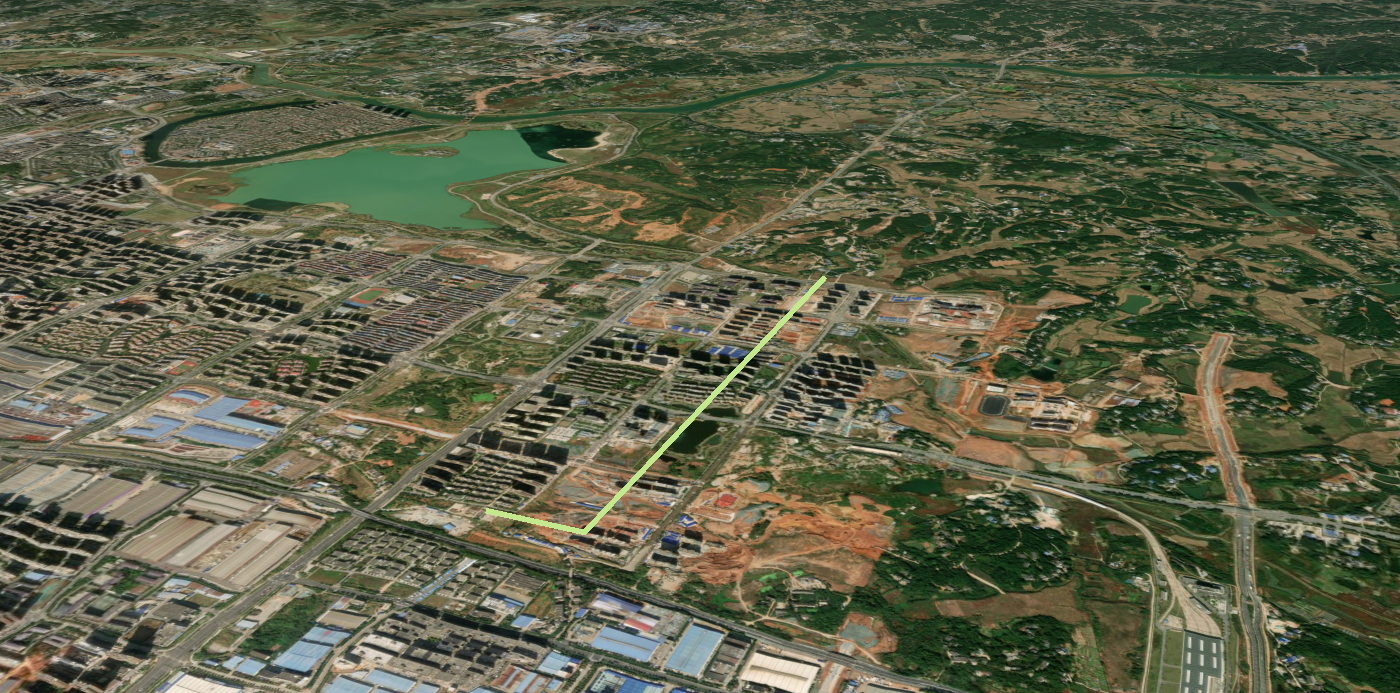
关键代码
你可以通过修改 paintLine 中的变量查看修改这些变量带来的效果。
js
uniCore.model.paintLine("lineID", [[113.12380548015745, 28.260758831850005], [113.12380548015745, 28.240758831850005], [113.12070548015745, 28.240758831850005]], 75, "#c3e88d", 5)