
快速上手
阅前提醒
如需要使用快速上手中某个示例,你需要先完成 简介 -> 快速开始 的环境部署环节,
你也可以使用内网Git链接 vue-uni-demo 快速搭建项目。
关于 vue-uni-demo
该项目为演示项目,你可以通过运行该项目快速熟悉本引擎的使用方法。该项目所涉及到的方法,你都可以在开发文档中找到与学习。
在线演示
点击 在线链接 以查看在线演示。
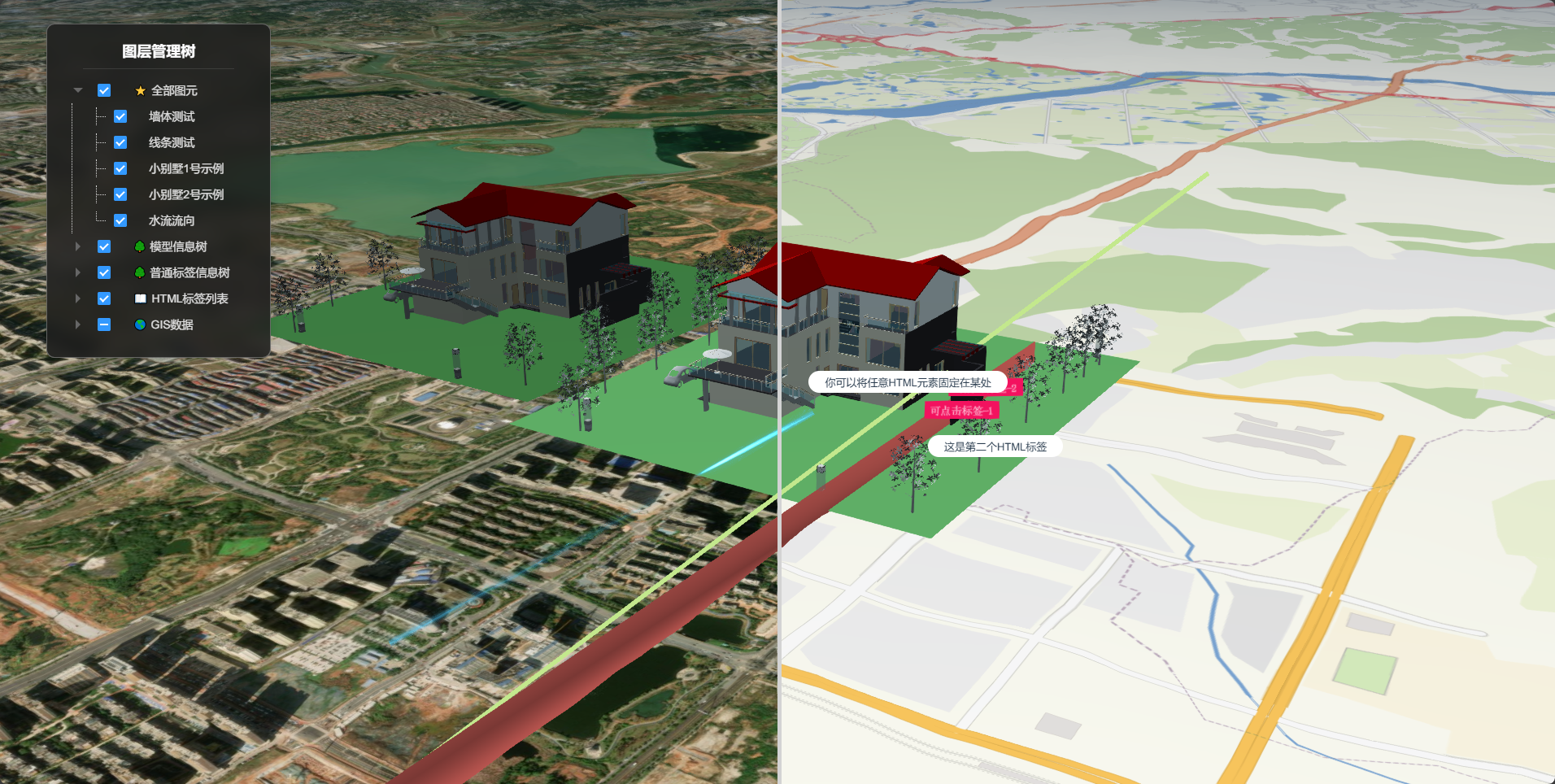
运行效果
主界面:
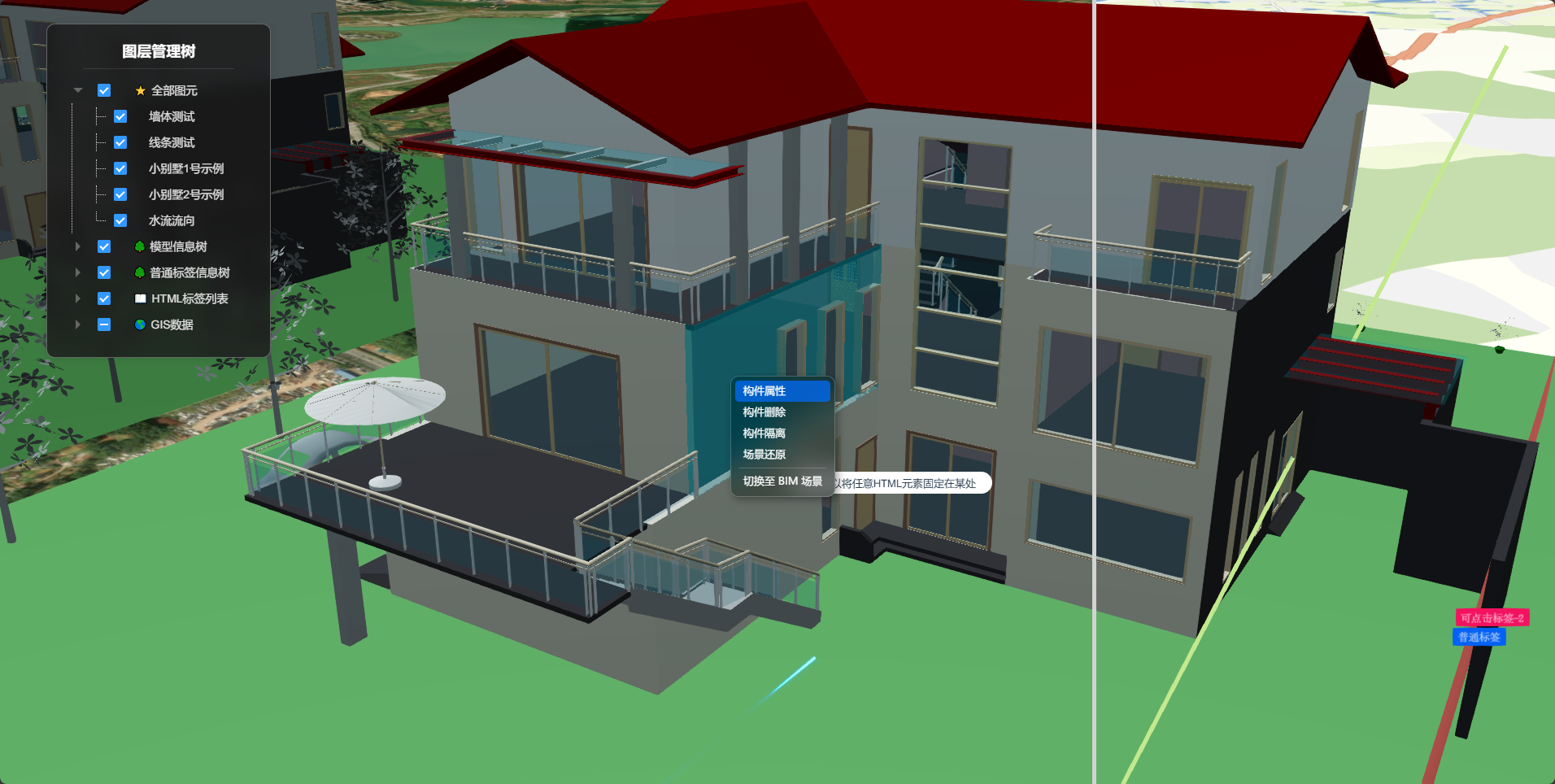
右键菜单:
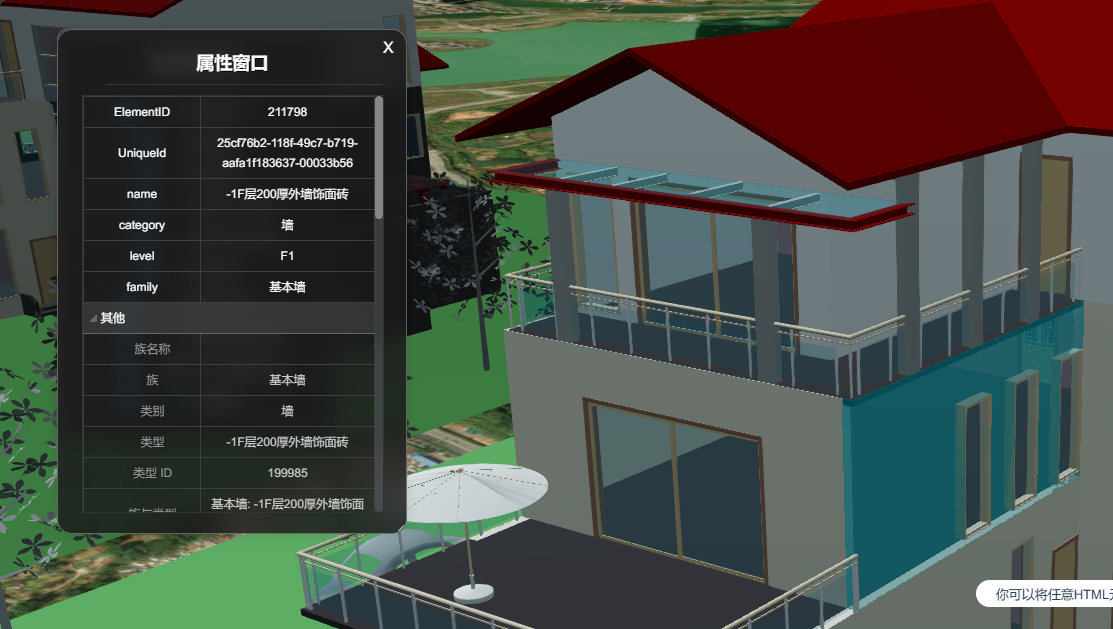
查看属性:
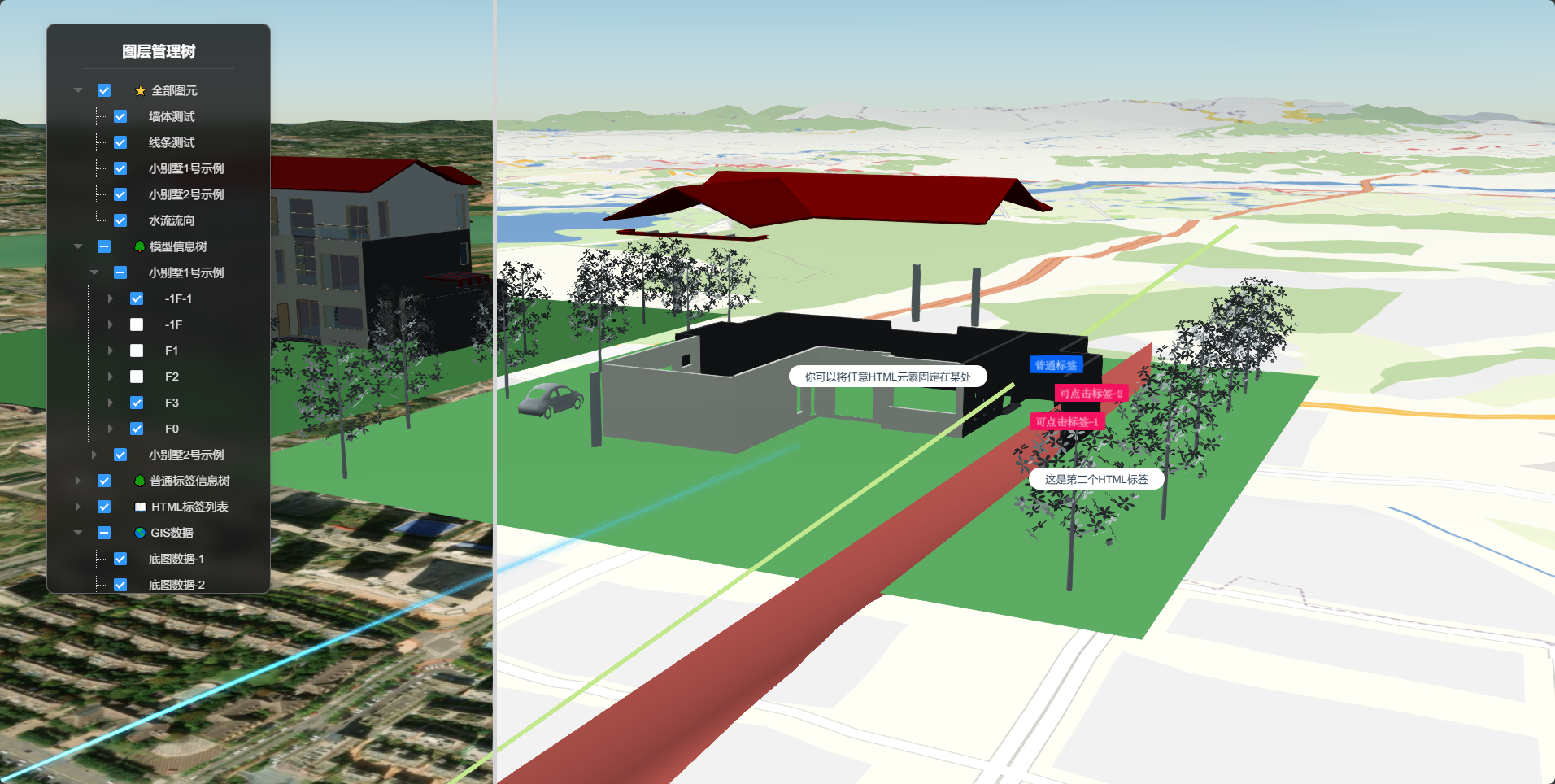
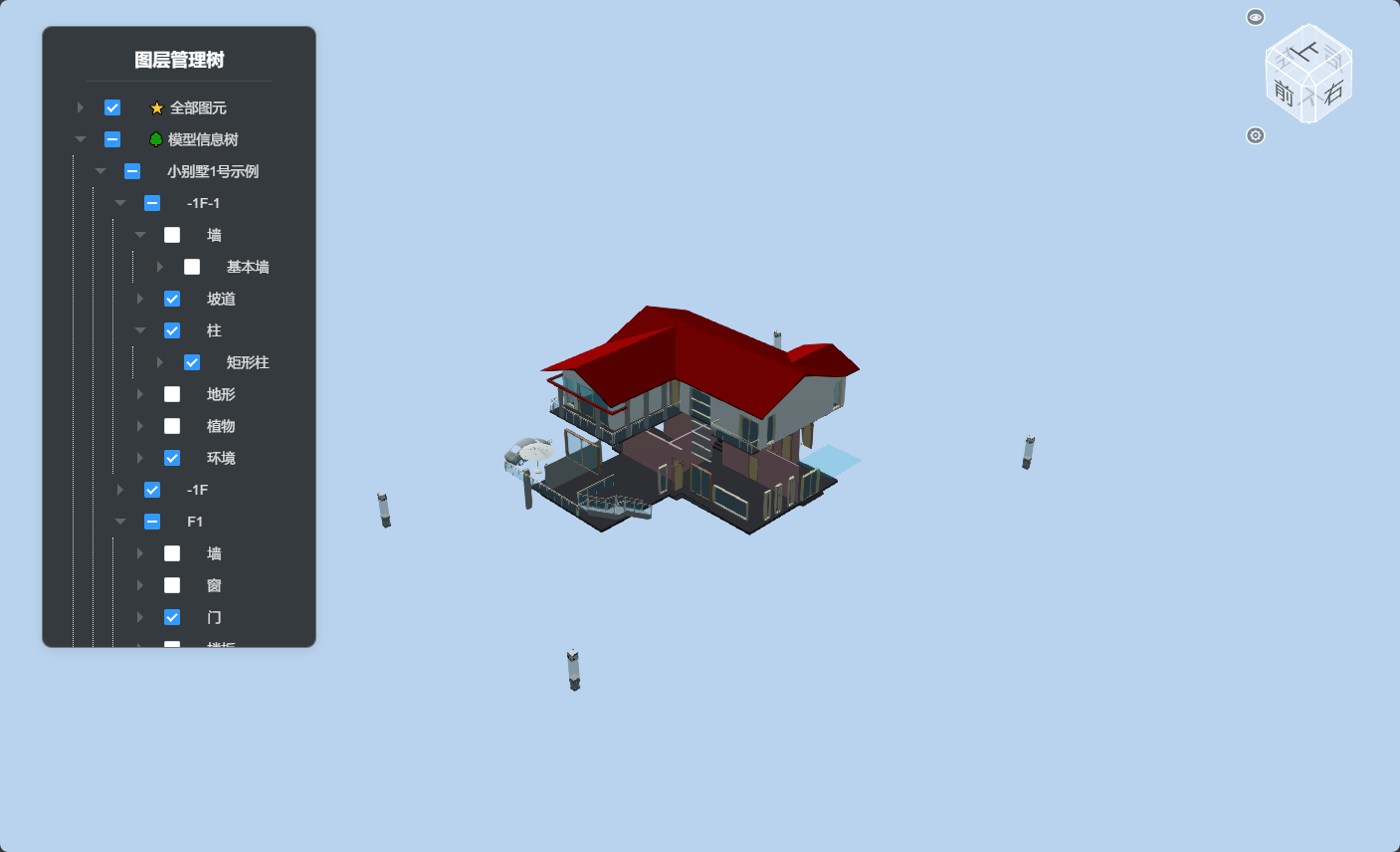
操作图层管理树:
GIS/BIM 切换:
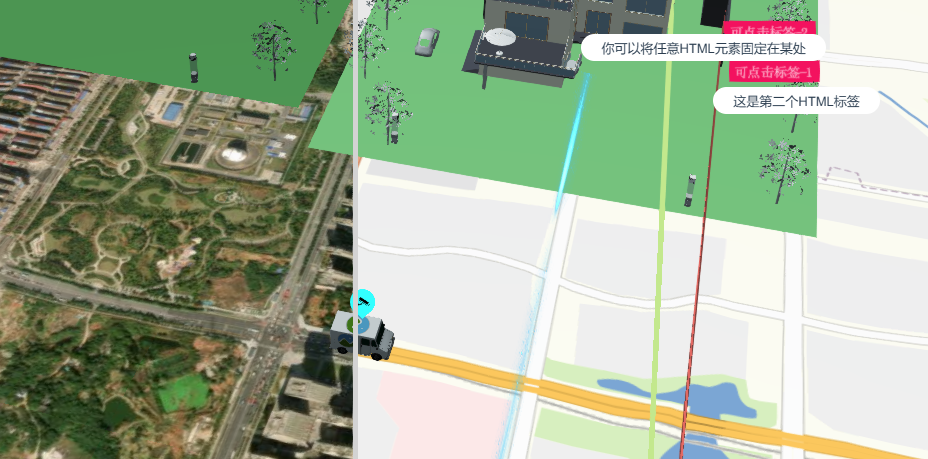
小车动画 & 图片标签跟随:
默认示例代码
vue
<template>
  <div id="unicoreContainer" @click="mouseClick($event)">
    <!-- HTML 标签测试开始 -->
    <div id="test">你可以将任意HTML元素固定在某处</div>
    <div id="test2">这是第二个HTML标签</div>
    <!-- HTML 标签测试结束 -->
    <!-- BIM视图盒子组件开始 -->
    <bcSet ref="bcSetId"></bcSet>
    <!-- BIM视图盒子组件结束 -->
    <!-- 底图分割卡片开始 -->
    <lsSet ref="lsSetId"></lsSet>
    <!-- 底图分割树卡片结束 -->
    <!-- 图层管理树卡片开始 -->
    <lcSet ref="lcSetId"></lcSet>
    <!-- 图层管理树卡片结束 -->
    <!-- 属性窗口组件窗口卡片开始 -->
    <mpInfo ref="mpInfoId"></mpInfo>
    <!-- 属性窗口组件窗口卡片结束 -->
    <!-- 模型加载组件窗口卡片开始 -->
    <lmInfo ref="lmInfoId"></lmInfo>
    <!-- 模型加载组件窗口卡片结束 -->
  </div>
</template>

<script>
import { UniCore } from 'unicore-sdk'
import { config } from 'unicore-sdk/unicore.config'
import 'unicore-sdk/Widgets/widgets.css'
import lsSet from '@/components/LayerSplitSet/index.vue'; //底图分割组件
import lcSet from '@/components/LayerControlSet/index.vue'; //图层管理树组件
import mpInfo from '@/components/modelPropertyInfo/index'; //属性窗口组件
import lmInfo from '@/components/loadModelInfo/index'; //模型加载组件
import bcSet from '@/components/BimCubeSet/index.vue'; //BIM视图盒子组件
import * as Cesium from 'cesium'

export default {
  components: {
    lsSet, lcSet, mpInfo, lmInfo, bcSet
  },
  // 生命周期 - 挂载完成(可以访问DOM元素)
  mounted () {
    this.init();
  },

  // 方法集合
  methods: {

    /**
    * 通用图形引擎初始化
    */
    init () {

      // 初始化UniCore

      // 目前采用Cesium的地形&底图数据,这里配置Cesium的token
      let accessToken = "eyJhbGciOiJIUzI1NiIsInR5cCI6IkpXVCJ9.eyJqdGkiOiIxNjEwMzI4My01MjBmLTQzYzktOGZiMS0wMDRhZjE0N2IyMGIiLCJpZCI6MTc1NzkyLCJpYXQiOjE3MTM3NzQ3OTh9.zU-R4MNvHr8rvn1v28PQfDImyutnpPF2lmEgGeSPckQ";
      // 初始化unicore
      let uniCore = new UniCore(config, accessToken);
      uniCore.init("unicoreContainer");

      // 视角初始化
      uniCore.position.buildingPosition(uniCore.viewer, [113.1260943923287, 28.23651730759447, 2000], -20, -45, 1);

      // 模型示例1
      // 开始触发加载进度条
      this.$refs.lmInfoId.loadName = "小别墅1号示例";
      this.$refs.lmInfoId.setLoadNum();
      const options = {
        id: '小别墅1号示例',
        url: '../../assets/3Dtiles/sample3_方法2_小别墅属性(1)/tileset.json',
        propertysURL: '../../assets/3Dtiles/sample3_方法2_小别墅属性(1)/01 小别墅.json'
      }
      //加载3dtiles
      uniCore.model.createTileset(options.url, options, (tileset) => {
        let customShader = new Cesium.CustomShader({
          // lightingModel: Cesium.LightingModel.UNLIT,
          lightingModel: Cesium.LightingModel.PBR,
          //片元着色器
          fragmentShaderText: `
          void fragmentMain(FragmentInput fsInput, inout czm_modelMaterial material) {
            vec3 positionMC = fsInput.attributes.positionMC;
            //此处以下为光线效果
            material.diffuse += material.diffuse * (1.0);
          }`
        })

        tileset.customShader = customShader
      }).then(cityModel => {
        uniCore.model.changeModelPos(cityModel, [113.12098820449636, 28.256150218457687, 130], [0, 0, 0], [23.8, 23.8, 23.8])

        // 绑定信息树
        let modelOption = {
          ...options,
          tileset: cityModel
        }
        this.$refs.lcSetId.nodesList['model'].push(modelOption)

        // 加载下一个进度条
        this.$refs.lmInfoId.setNewData('小别墅2号示例');
      })

      // 模型示例2
      const options_2 = {
        id: '小别墅2号示例',
        url: '../../assets/3Dtiles/sample3_方法2_小别墅属性(1)/tileset.json',
        propertysURL: '../../assets/3Dtiles/sample3_方法2_小别墅属性(1)/01 小别墅.json'
      }
      //加载3dtiles
      uniCore.model.createTileset(options_2.url, options_2).then(cityModel => {
        uniCore.model.changeModelPos(cityModel, [113.11098820449636, 28.257150218457687, 130], [0, 0, 0], [23.8, 23.8, 23.8])

        // 绑定信息树
        let modelOption = {
          ...options_2,
          tileset: cityModel
        }
        this.$refs.lcSetId.nodesList['model'].push(modelOption)

        // 结束进度条显示
        this.$refs.lmInfoId.setFinish();
      })

      // 开启右键菜单、点击高亮、属性property
      uniCore.interact.setTilesRightClickMenu([{
        id: '小别墅1号示例',
        url: '../../assets/3Dtiles/sample3_方法2_小别墅属性(1)/tileset.json',
        propertysURL: '../../assets/3Dtiles/sample3_方法2_小别墅属性(1)/01 小别墅.json'
      }, {
        id: '小别墅2号示例',
        url: '../../assets/3Dtiles/sample3_方法2_小别墅属性(1)/tileset.json',
        propertysURL: '../../assets/3Dtiles/sample3_方法2_小别墅属性(1)/01 小别墅.json'
      }], (property) => this.$refs.mpInfoId.showProps(property), (pickObj) => console.log(pickObj), (pickObj) => { document.getElementById("slider").style.display = "none"; this.$refs.bcSetId.show(uniCore, uniCore.position.cartesian3_2axis(pickObj.tileset.boundingSphere.center), pickObj.tileset.boundingSphere.radius * 3) }, () => { document.getElementById("slider").style.display = "block"; this.$refs.bcSetId.hide() });


      // 加入墙体图元 primitives
      uniCore.model.paintWall("墙体测试", [[113.12380548015745, 28.260758831850005], [113.12380548015745, 28.240758831850005]], 500, 100, "#e46962")
      uniCore.model.paintLine("线条测试", [[113.12123548015745, 28.280758831850005], [113.12380548015745, 28.240758831850005], [113.12070548015745, 28.240758831850005]], 75, "#c3e88d", 5)
      uniCore.model.createMaterialLine([113.12123548015745, 28.255978831850005, 50], [113.12123548015745, 28.245978831850005, 80])

      // 加入水流特效 entities
      uniCore.model.createMaterialLine([113.12123548015745, 28.255978831850005, 50], [113.12123548015745, 28.245978831850005, 80])

      // 加入普通标签
      uniCore.tip.createTip('标签组测试1', "普通标签", [113.12380548015745, 28.255758831850005, 150], null, '#0361f3', 1, [250, 1.0, 550, 1.0], [250000, 1.0, 5500000, 0.0])

      // 加入带有点击事件的标签
      uniCore.tip.createTip('标签组测试1', "可点击标签-1", [113.12390548015745, 28.255568831850005, 100], () => { alert("你点击了 可点击标签-1") }, '#f3125f', 1, [250, 1.0, 550, 1.0], [250000, 1.0, 5500000, 0.0])
      uniCore.tip.createTip('标签组测试2', "可点击标签-2", [113.12374548015745, 28.256758831850005, 100], () => { alert("可点击标签-2 被你点击到了~") }, '#f3125f', 1, [250, 1.0, 550, 1.0], [250000, 1.0, 5500000, 0.0])

      // 加入 HTML 标签
      uniCore.tip.createHtmlTip("test", [113.12098820449636, 28.256150218457687, 130], false)
      uniCore.tip.createHtmlTip("test2", [113.12374548015745, 28.256150218457687, 50], false)

      // 加入图片标签
      let picID = '图片标签';
      let picOptions = {
        scale: 0.2, // default: 1.0
        sizeInMeters: true,
      }
      uniCore.tip.createImgTip(picID, "../static/img/tips/camera.png", [113.12248820449636, 28.254850218457687, 70], picOptions, () => { alert("你点击到了图片标签") })
      // 获取图片标签entities
      let picTip;
      window.viewer.entities._entities._array.forEach(e => { if (e.id === picID) { picTip = e } });


      // 加入运动小车
      uniCore.model.addGltf({
        lon: 0,
        lat: 0,
        height: 0
      }, {
        id: "车",
        name: null,
        url: '../../../assets/gltf/CesiumMilkTruck.glb',
        property: null
      }).then(cityModel => {
        let axis = [[113.11743080396153, 28.239682643150296]
          , [113.11725785946352, 28.248622077135227]
          , [113.13152129373469, 28.24872127157565]
          , [113.13140943384197, 28.26102384106443]
          , [113.1181019813925, 28.2610317815719]
          , [113.11806215469495, 28.25746976282241]
        ];
        uniCore.animation.updatePosition(axis, (resAxis, index) => {
          // 根据实时坐标修改路径和偏转角
          uniCore.model.changeModelPos(cityModel, resAxis, [uniCore.animation.caluRealTimeRotate(axis, index), 0, 0], [20, 20, 20]);

          // 图片标签跟随
          picTip.position._value = uniCore.position.axis2cartesian3([resAxis[0], resAxis[1], resAxis[2] + 100])

        }, () => { console.log("finish!") }, 5, 0.01, [cityModel, picTip])
      })


      // 多底图分屏,载入 openstreetmap 底图
      this.$refs.lsSetId.init(new Cesium.UrlTemplateImageryProvider({
        url: "https://tile.openstreetmap.bzh/br/{z}/{x}/{y}.png",
        subdomains: ["a", "b", "c", "d"],

      }));

      // 原本设计是作为开关调用的,这里使用定时器先展示功能
      setTimeout(() => {
        // 图层树初始化
        this.$refs.lcSetId.init(uniCore);
      }, 3000)

    },

    mouseClick (e) {
      console.log(window.uniCore.position.screen2axis(uniCore.viewer, e));
    }

  }

}
</script>
<style scoped>
#unicoreContainer {
  position: absolute;
  top: 0;
  left: 0;
  width: 100%;
  height: 100%;
  overflow: hidden;
  background: black;
}
#test {
  position: absolute;
  font-size: 13px;
  background: #fff;
  border-radius: 15px;
  padding: 5px 20px;
  cursor: pointer;
  user-select: none;
  z-index: 999;
}
#test2 {
  position: absolute;
  font-size: 13px;
  background: #fff;
  border-radius: 15px;
  padding: 5px 20px;
  cursor: pointer;
  user-select: none;
  z-index: 999;
}
</style>